
Since Google opened its SynthID Detector to the public at synthid.com in October 2026, one question has been flooding in: “Can I remove SynthID from my image?”
We build free metadata tools, so you might expect us to say “yes, use our tool.” We won’t, because it isn’t true, and most pages answering this question are quietly selling you something that doesn’t work. Here is the honest version.
Metadata vs. pixels: why this trips everyone up
“AI markers” in an image live on two completely different layers, and conflating them is the whole confusion.
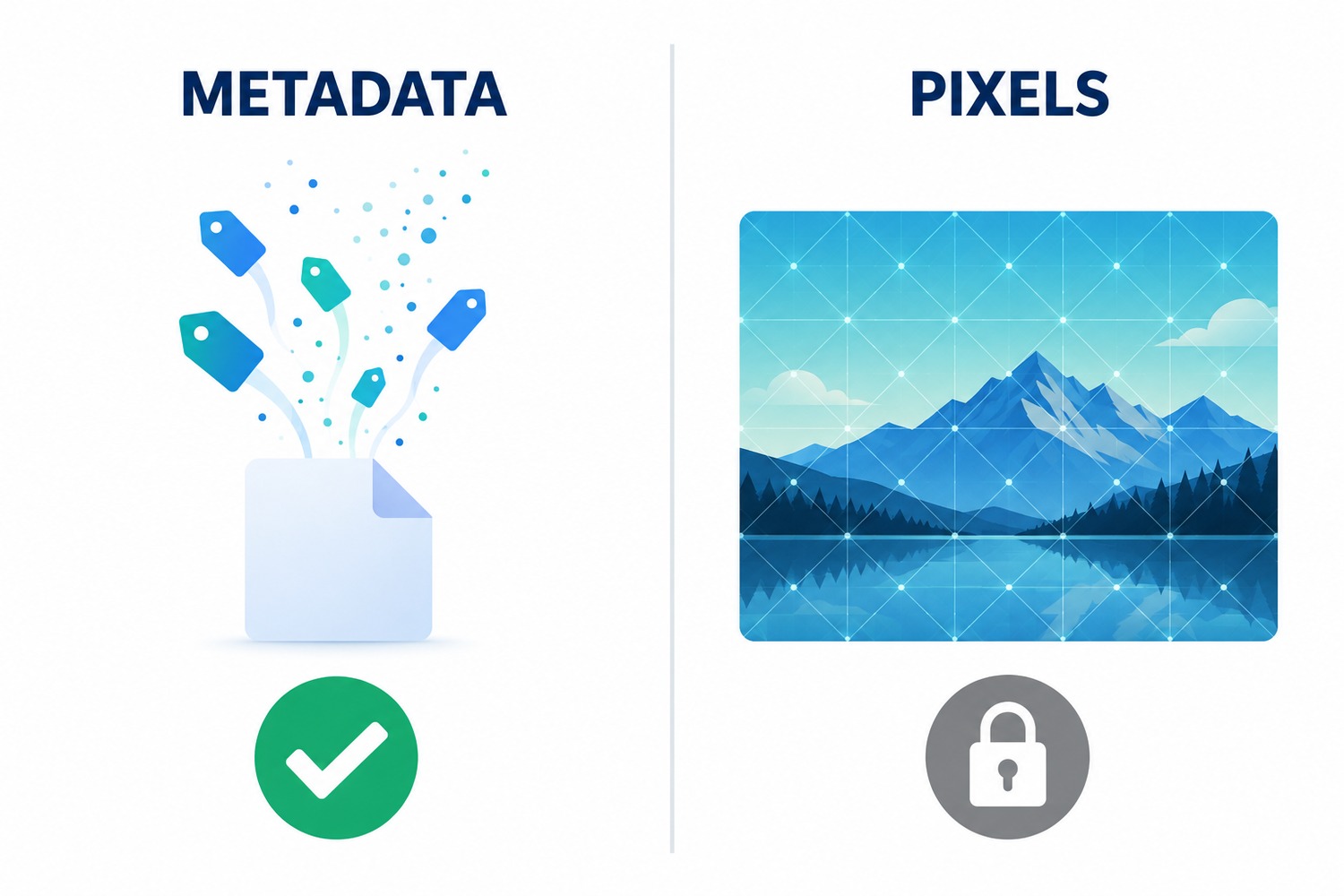
- Metadata is text tags attached to the file: C2PA Content Credentials, IPTC “Digital Source Type,” XMP generation parameters, a “Software: Adobe Firefly” line. This is data about the image. It is removable, and it is exactly what our AI Metadata Remover strips.
- Pixel watermarks are where SynthID lives. It is an imperceptible pattern woven directly into the image data itself, spread across the whole picture. You can delete every scrap of metadata and the SynthID watermark sits there untouched, because you never edited the thing it lives in.
So the reason we can’t remove SynthID isn’t that we haven’t built the feature. It is that it lives in a layer no metadata tool touches by definition.
“But surely some edit removes it?”
SynthID is trained adversarially to survive ordinary editing: cropping, resizing, screenshotting, color and brightness changes, filters, and JPEG compression. Google reports detection holding up around 99.97% even after aggressive transformations. Casual edits don’t touch it.
Academic attacks have broken it, but they work by running the image through heavy machine-learning pipelines (latent-space manipulation) that essentially regenerate the picture. That is not a filter or a setting. It is a different, fragile, expensive process, and the watermark’s encoder is specifically designed so that any practical removal attack also wrecks visible image quality. It is a cat-and-mouse game with Google DeepMind, and not one a metadata app is going to win.
What you actually can do
1. Check whether an image carries SynthID. Google’s detector is now free and public at synthid.com. Upload a file and it scans for SynthID watermarks from Google and partners, including OpenAI, Nvidia, Kakao and ElevenLabs, with Apple coming soon. That is the authoritative place to verify a pixel watermark.
2. Clean your metadata, which is a real and legitimate goal. Most people who land here don’t actually care about SynthID; they care about privacy. AI and camera files leak your GPS location, device, software, and even the prompts you typed. That is removable:
🧹 Clean an image free → AI Metadata Remover
Our AI-only mode strips the C2PA and AI provenance tags while keeping your legitimate camera EXIF and copyright intact; a full mode wipes everything. And you can see exactly what a file is carrying first with the AI Metadata Detector.
The honest bottom line
If your goal is privacy, meaning you don’t want to broadcast your location, gear, or prompts, metadata cleaning does the job and we’re glad to help. If your goal is making an AI-generated image pass as genuine by stripping its watermark, no honest tool can promise that, the industry is moving fast in the opposite direction (six major AI providers now share one detector), and it is a reputational and legal minefield. We won’t pretend otherwise just to win a click, and that is precisely the reason you can trust what our tools do remove.
Frequently asked
Does removing EXIF or metadata remove SynthID? No. It is a different layer entirely. Metadata is text about the file; SynthID is in the pixels.
Does screenshotting or re-compressing the image remove it? No. It is built to survive exactly those edits.
Can ExifReader detect SynthID? Not directly. SynthID detection is Google’s own, available at synthid.com. ExifReader detects metadata-level AI markers like C2PA, generator signatures, and AI-edit tags. The two are complementary.
Is there a legitimate reason to clean an AI image’s metadata? Yes, for privacy. Stripping GPS, device IDs and embedded prompts before you share a file is sensible regardless of whether it is AI.